top of page
Computer Art & Photography Class
Hat Design

To start this project, I painted a couple layers of gesso on a trucker hat using tape around the sides to keep the edges clean. On adobe illustrator, I used the pen tool to draw 3 skeletons riding skateboards. To transfer it onto the hat, I painted a layer of gesso on the hat and the printed picture. Once dry, I peeled off the paper using water and finished it off with a clear coat.
Objects

This has 10 layers of different photos, which were taken outside. I used the clone stamper and spot healer to remove an object from each layered photo, without noticing there was an object there in the first place.
Text Poster
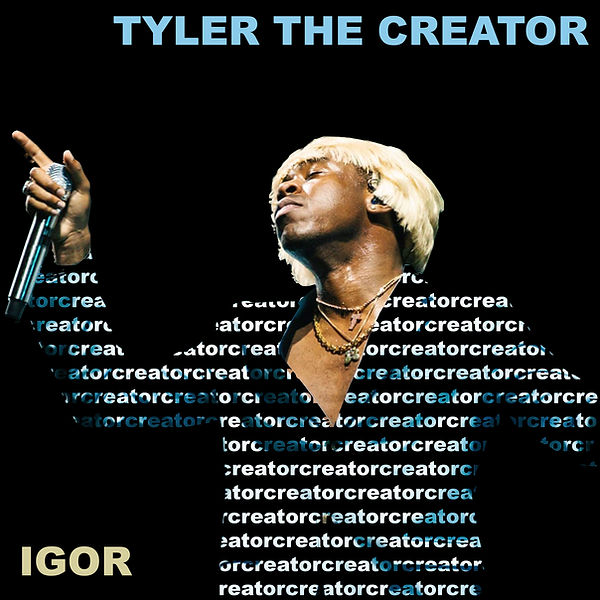
In this poster, I used a picture of Tyler, The Creator performing with a microphone in his hand and a blonde wig. I wanted to make these stand out, so I used multiple layers to copy and paste parts of the original image onto a layer with the word "creator" written on his blue jacket, and also the word "IGOR" at the bottom left corner. I picked the word "creator" because it's apart of his stage name, and it also shows that he creates music. The word "IGOR" is the name of the album that he was performing in the image.
Kurt Cobain
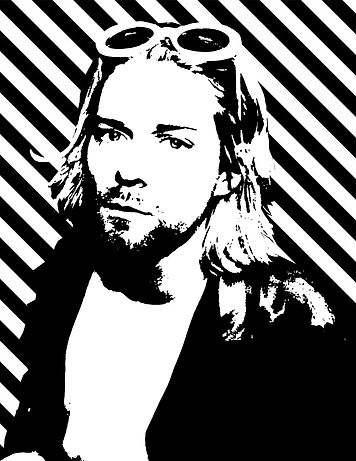
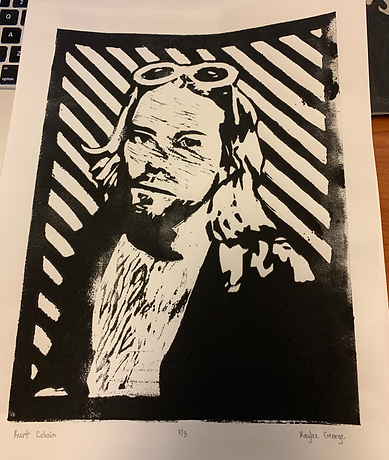
For this project, I photoshopped a picture of Kurt Cobain to make the image black and white, then I added a diagonal pattern to the background. To transfer the image onto paper, I carved a linoleum plate with the outline of the image on it. After carving, I coated the plate with black ink to be able to transfer the image onto paper.
Banksy Artwork

Banksy's art brings light to world problems, which inspired me to create a piece about mental health, specifically depression. Many people deal with it and some people don't get the proper help. In the top right corner, I placed a hand holding out an antidepressant, which I wanted to make stand out by only leaving that in color. The girl sitting in the dark hole represents someone who feels like there's no way out, but the antidepressant is a common way someone can be helped out of that dark state of mind.
Name

Using the pen tool in illustrator, I wrote my name in block letters. Also, I made my initials with the pen tool that curves the lines. For the strokes, I changed the sizes, colors, and made them dashed for my initials.
Vine Design

To make vines, I used abode illustrator to draw curved lines using the pen tool. For the strokes color and size, I made a triangle and used that to make a brush tool. By doing this, it made the vines get skinnier as they got longer. The leaves were made with the pen tool and colored. I made different vine varieties to make them more realistic.
Cartoon Me
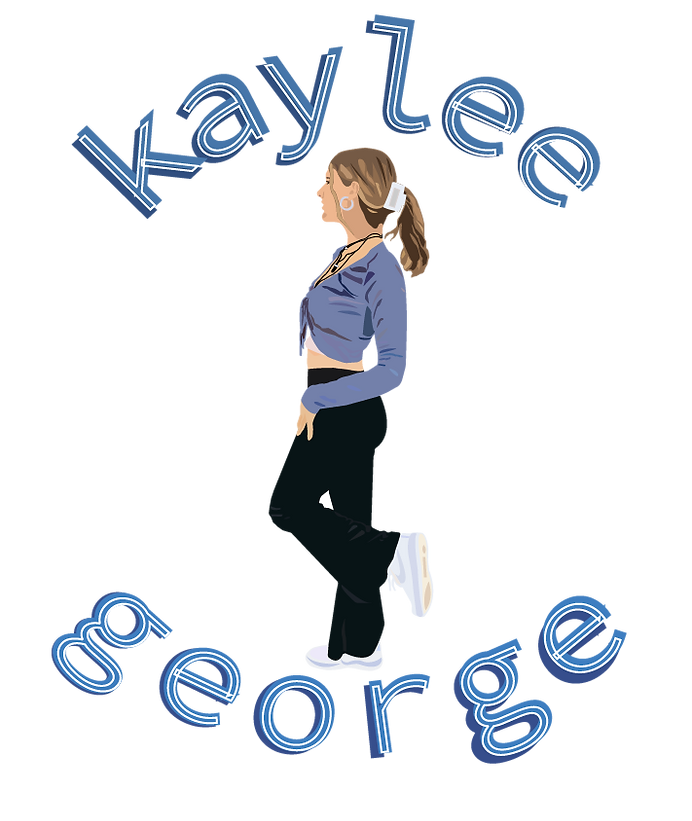
For this cartoon, I used photoshop to cut out the background of a picture of me, then I put the picture in adobe illustrator. In illustrator, I outlined everything on me including shadows, then I filled in each shape using the eyedropper tool to match the colors on the original picture. Finally, I added my name as a text in a circle shape around my picture.
First Assignment
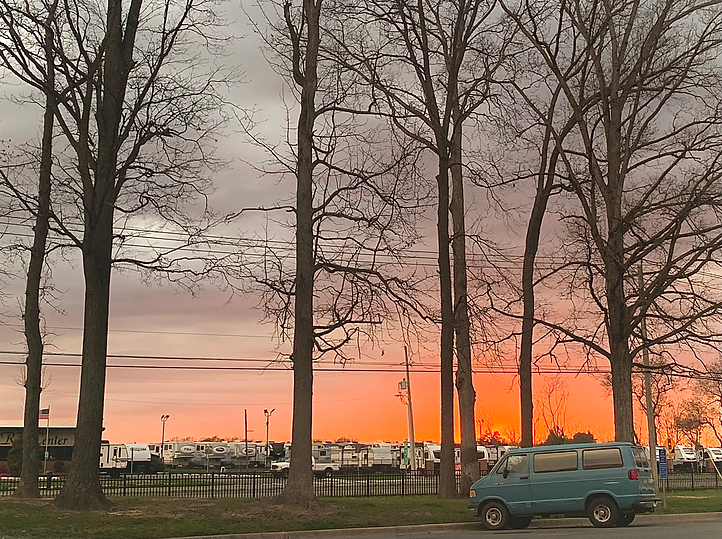
For this assignment, I found a random picture on my phone. I took this at sunset at the Smyrna rest stop. Anytime I see pretty skies, I take a picture.
Leading Lines
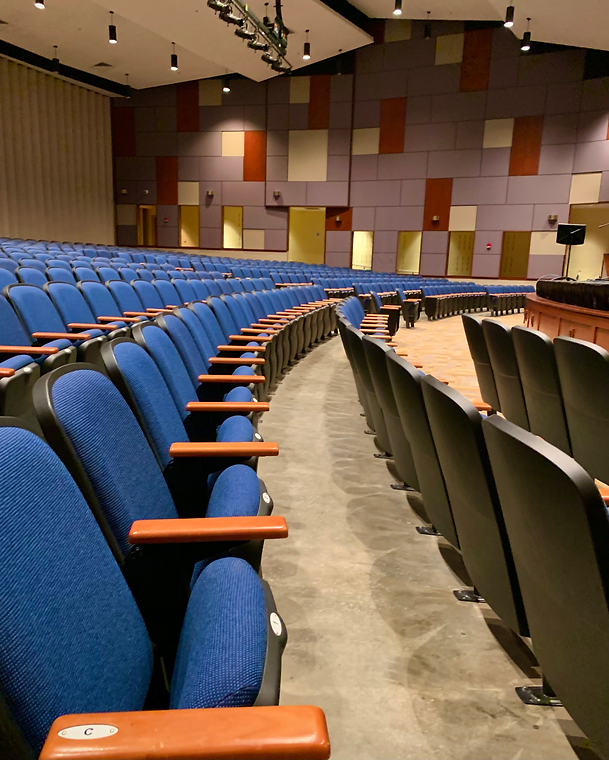
The curved lines formed by the chairs in this room bring the attention to the wall in the background. Focusing on the wall makes it stand out more, especially because of its colorful pattern. When leading lines are in a picture, it helps you focus on the object it's leading to.
Rule of Thirds

The rule of thirds uses a grid to position objects in a photo in the foreground, middle ground, or background. For the picture I took, the Cheetos bag in the fence was positioned on the point at the bottom right of the grid. By doing this, it brings more attention to the bag.
Frame Within A Frame

In this picture, the window facing the football field frames it out, along with the sky. By using frame within a frame, it brings the football field and the sky to your attention. Also, the middle line in the window helps separate the field and the sky, still making both the main focus.
bottom of page